
Is your Craftsman garage door opener refusing to close when you need it most? This frustrating problem can disrupt your day and leave your garage unsecured.
But don’t worry—you’re not alone, and fixing it might be simpler than you think. You’ll discover the common reasons why your Craftsman garage door opener won’t close and easy steps you can take to get it working smoothly again. Keep reading to regain control of your garage door and restore your peace of mind.
Common Causes
When a Craftsman garage door opener won’t close, several common causes often lie behind the problem. Most problems relate to safety features, mechanical parts, or the remote control. Identifying the cause saves time and avoids unnecessary repairs. Below are the most frequent reasons your garage door may refuse to close.
Obstructed Sensors
The safety sensors are a key reason why a Craftsman garage door opener might not close. These sensors detect objects or people in the door’s path. If something blocks the sensors, the door will stay open to prevent accidents.
Common sensor issues include:
- Dirt or debris covering the sensor lenses
- Misaligned sensors not facing each other properly
- Damaged sensor wires causing connection problems
- Objects or pets blocking the sensor beam
Cleaning the sensors regularly helps keep them clear. Make sure both sensors face each other directly and are about 6 inches above the ground. Use a level tool to check alignment. If wires look worn or broken, they may need replacement.
Misaligned Tracks
Garage door tracks guide the door as it opens and closes. If the tracks are not properly aligned, the door may get stuck or refuse to close. Tracks can bend or become loose due to wear or impacts.
Signs of misaligned tracks include:
- Door moves unevenly or jerks
- Visible gaps between door rollers and tracks
- Loud grinding or scraping noises during movement
- Door stops before fully closing
Fixing track alignment requires inspecting both vertical and horizontal sections. Tighten loose bolts and screws on the brackets holding the tracks. Use a rubber mallet to gently tap bent sections back into place. Avoid forcing the door, which can cause more damage.
Worn Out Remote
The remote control is the simplest way to operate your Craftsman garage door. A worn-out or malfunctioning remote often causes the door not to close. Problems may stem from dead batteries, damaged buttons, or signal interference.
Common remote issues include:
- Weak or dead batteries
- Worn or stuck buttons
- Out of range signal
- Interference from other wireless devices
To check the remote:
- Replace the batteries with fresh ones
- Press buttons firmly to test response
- Try operating the door closer to the opener
- Reset the remote by following the manual instructions
Remote controls have limited lifespan. If problems continue, consider purchasing a new compatible remote. Keep the remote clean and store it in a dry place to avoid damage.
Damaged Door Springs
Door springs bear the weight of the garage door. They help lift and lower the door smoothly. Damaged or broken springs prevent the door from closing properly. This issue is common in older doors or after heavy use.
Types of garage door springs:
| Spring Type | Function | Signs of Damage |
| Torsion Springs | Mounted above the door, twist to lift | Gap in spring, door heavy to lift |
| Extension Springs | Located beside tracks, stretch to lift | Broken spring, door falls quickly |
Broken springs cause the door to feel very heavy or stuck. Attempting to close with damaged springs can harm the opener motor. Spring repair requires special tools and knowledge. Hiring a professional is safest.
- Do not try to fix springs yourself
- Call a garage door expert for inspection
- Replace both springs even if only one is broken
Regular spring maintenance extends their life. Lubricate springs and inspect for rust or wear every six months.
Troubleshooting Steps

When a Craftsman garage door opener won’t close, it can cause frustration and disrupt daily routines. Troubleshooting the problem step-by-step helps find the root cause quickly. Simple checks often fix the issue without calling a technician. Follow these clear steps to get the door working again safely and smoothly.
Check Sensor Alignment
The sensors are key to your garage door’s closing function. They send an invisible beam across the door opening. If the sensors are not aligned, the door won’t close to prevent accidents.
How to check sensor alignment:
- Locate the two sensors near the bottom of the door tracks on each side.
- Make sure both sensors face each other directly.
- Look for any dirt, spider webs, or obstacles blocking the sensor lenses.
- Clean the sensor lenses gently using a soft cloth and mild cleaner if dirty.
- Check if the sensor lights are on. Usually, a steady green light means proper alignment.
If the lights blink or one is off, realign the sensors by gently adjusting their brackets. Tighten the screws once aligned. Test the door after adjustment.
Inspect Door Tracks
Door tracks guide the garage door as it opens and closes. Damaged or dirty tracks can stop the door from moving properly. A stuck door may not close at all.
Steps to inspect the tracks:
- Look along both sides of the door tracks for dents, bends, or gaps.
- Check for dirt, debris, or rust inside the tracks.
- Remove any objects that may block the door’s path.
- Use a level to see if the tracks are straight and properly angled.
- Lubricate the tracks lightly with a silicone-based spray to reduce friction.
Signs of track problems include:
- Door jerks or stops during movement
- Uneven gaps between the door and tracks
- Loud grinding noises
If you spot major bends or damage, call a professional to replace or repair the tracks. Avoid forcing the door to close as it may cause more damage.
Test Remote Battery
The remote control powers the garage door opener wirelessly. A weak or dead battery can prevent the door from closing. Testing and replacing the battery is quick and easy.
How to test the remote battery:
- Check the remote’s LED light when pressing any button.
- If the light is dim or does not turn on, the battery may be weak.
- Open the remote casing carefully with a small screwdriver.
- Note the battery type (usually CR2032 or similar coin battery).
- Replace the battery with a new one matching the type exactly.
- Close the remote and test the door operation again.
Battery tips:
| Battery Type | Average Life | Replacement Frequency |
| CR2032 (Coin Cell) | 1-2 years | Replace yearly for best performance |
| AAA or AA (if applicable) | 6-12 months | Replace as soon as remote weakens |
Examine Safety Features
Garage door openers have built-in safety features to prevent accidents. These features can stop the door from closing if triggered. Checking them ensures the door closes safely.
Key safety features to examine:
- Photoelectric sensors: Prevent closing if an object blocks the beam.
- Manual release lever: Must be engaged for automatic operation.
- Force settings: Control the strength needed to close the door; too low may stop the door.
To check the force settings, locate the adjustment screws on the opener unit. Turn them slightly to increase the closing force. Test the door to see if it closes fully.
Ensure nothing blocks the sensor beams. Small items, leaves, or even dirt can trigger safety stops. Clear the area and wipe sensor lenses.
Finally, verify the manual release lever is in the locked position. If pulled, it disables automatic closing.
Resetting The Opener
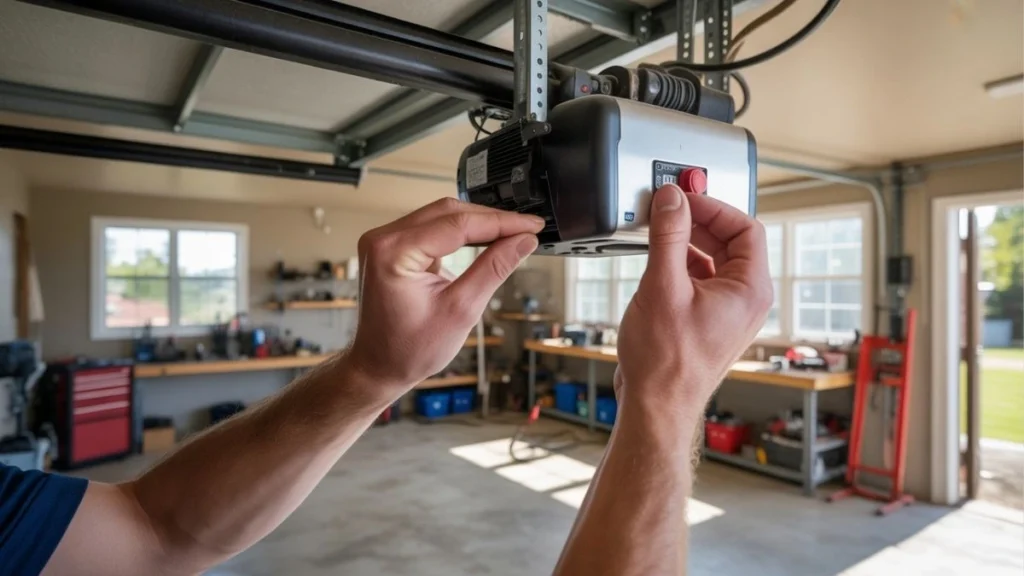
Resetting the Craftsman garage door opener can fix many common issues, especially when the door won’t close. This process refreshes the system and clears minor errors that block proper operation. A reset is often simple and saves time before calling a technician. It involves steps like power cycling, reprogramming the remote, and adjusting travel limits. Each step targets different parts of the opener’s system, ensuring smooth and safe closing of your garage door.
Power Cycle Method
The power cycle method is the easiest way to reset your Craftsman garage door opener. It helps clear electronic glitches by cutting power and restarting the device.
- Step 1: Unplug the garage door opener from the power source.
- Step 2: Wait for 30 seconds to 1 minute. This pause lets the internal memory clear.
- Step 3: Plug the opener back in.
- Step 4: Test the door using the wall control or remote.
This method can fix problems caused by power surges or software errors. If the door still won’t close, try the next reset step. Below is a quick reference table for power cycling:
| Step | Action | Purpose |
| 1 | Unplug opener | Stops power, clears memory |
| 2 | Wait 30-60 seconds | Ensures complete reset |
| 3 | Plug back in | Restarts system |
| 4 | Test door operation | Checks if reset worked |
Reprogramming Remote
The remote may lose connection with the opener, causing the door not to close. Reprogramming the remote restores this link.
Follow these steps to reprogram the remote:
- Find the “Learn” button on the opener motor unit. It is usually near the antenna wire.
- Press and release the “Learn” button. An LED light will turn on or blink.
- Within 30 seconds, press and hold the button on your remote that you want to program.
- Release the remote button when the opener light blinks or you hear a click. This confirms programming.
Check the remote by pressing the programmed button. The door should open or close as expected. If multiple remotes are used, repeat for each one.
Adjusting Travel Limits
Travel limits tell the opener how far the door should move up or down. Incorrect settings can stop the door from closing fully.
To adjust travel limits:
- Locate the travel limit adjustment screws on the opener motor unit.
- Use a screwdriver to turn the “Down” limit screw clockwise to allow the door to close further.
- Turn it counterclockwise to reduce the closing distance if the door hits the floor too hard.
- Test the door after small adjustments to avoid over-traveling.
Careful adjustment prevents the door from stopping before closing or causing damage by closing too far.
Related: Chamberlain Garage Door Opener Lights Not Working
Conclusion
A Craftsman garage door opener that won’t close can cause stress. Simple checks often fix the problem quickly. Look at the sensors, remote batteries, and door tracks first. Sometimes, a small adjustment is all you need. Regular maintenance helps avoid future issues.
Stay calm and follow the steps carefully. If problems continue, contacting a professional is a smart choice. A working garage door opener keeps your home safe and convenient. Don’t let a small issue turn into a big hassle. Take action and keep your garage door running smoothly.