

Is your portable air conditioner’s exhaust fan not working? If you’re feeling the heat and frustration rising, you’re not alone.
When the exhaust fan stops, your unit can’t push hot air outside, making your room hotter instead of cooler. This problem can quickly turn a simple cooling fix into a major headache. But don’t worry—understanding why the fan isn’t working and how to fix it can save you time, money, and discomfort.
Common Causes Of Exhaust Fan Failure
The portable air conditioner exhaust fan plays a vital role in removing hot air from your room. When this fan stops working, the unit cannot cool properly. Understanding the common causes of exhaust fan failure helps in quick troubleshooting. Many issues are easy to fix with basic checks and maintenance. Below are the main reasons your exhaust fan might not work.
Blocked Or Dirty Filters
Dirty or blocked filters reduce airflow and cause the exhaust fan to struggle. When filters collect dust and debris, air cannot pass smoothly. This puts extra strain on the fan motor and may cause it to stop working.
Signs of blocked or dirty filters include:
- Reduced cooling efficiency
- Unusual noises from the fan area
- Warm air blowing instead of cool air
Electrical Issues
Electrical problems are a common reason the exhaust fan may fail. Power supply interruptions or wiring faults can stop the fan from running. Check the power cord, plug, and outlet first.
Common electrical issues include:
- Loose or damaged power cord
- Blown fuse or tripped circuit breaker
- Faulty internal wiring or switches
Use this checklist to diagnose electrical issues:
- Verify the air conditioner is plugged in securely.
- Test the outlet with another device.
- Check your home’s circuit breaker for any tripped switches.
- Inspect the power cord for visible damage.
Warning: Do not open the unit’s internal wiring unless you are trained. Contact a professional electrician for repairs inside the unit.
Regularly inspect and replace damaged cords to avoid fan failure. Electrical safety ensures your device works reliably.
Fan Motor Problems
The fan motor powers the exhaust fan blades. If the motor fails, the fan stops spinning and cannot push out hot air. Motor failure can happen due to wear, overheating, or mechanical faults.
Symptoms of fan motor problems include:
- Fan blades do not move
- Burning smell near the motor
- Unusual grinding or buzzing noises
To check the motor, try these steps:
- Turn off and unplug the unit.
- Remove the cover to access the fan motor.
- Inspect for dust, debris, or damage.
- Try to spin the fan blades by hand gently.
If blades do not spin freely or motor sounds abnormal, it might need repair or replacement. Motor issues usually require professional service to fix safely.
Obstructed Exhaust Hose
The exhaust hose carries hot air outside. If the hose is blocked, bent, or crushed, airflow stops. This causes the exhaust fan to work harder or stop completely.
Common hose problems include:
- Kinks or sharp bends in the hose
- Debris blocking the hose opening
- Cracks or holes causing leaks
Check your hose for blockages by:
- Disconnecting it from the air conditioner.
- Looking through the hose for visible debris.
- Straightening any bends or kinks.
- Cleaning with a soft brush or cloth.
Maintaining a clear exhaust hose improves fan efficiency and prevents overheating. Replace damaged hoses promptly to keep your unit working well.
Troubleshooting Steps
Follow them to identify the problem and decide if professional help is needed. The main areas to check are power supply, exhaust hose, filters, and the fan motor.
Checking Power Supply
Start by making sure the air conditioner has power. A common cause of a non-working exhaust fan is a power problem. Follow these checks:
- Ensure the unit is plugged in: Sometimes the plug may be loose or disconnected.
- Check the power outlet: Test the outlet with another device like a lamp to confirm it works.
- Inspect the power cord: Look for cuts, frays, or damage that may stop electricity flow.
- Examine the circuit breaker: Reset it if tripped. A breaker may trip due to overload or short circuit.
Tip: Use a voltage tester for safety before touching any wiring. If unsure, get help from a professional electrician.
Inspecting The Exhaust Hose
The exhaust hose removes hot air from the room. If it is blocked or damaged, the fan may stop working properly. Check the hose carefully:
- Look for kinks or bends: These can block airflow and strain the fan motor.
- Check for holes or tears: Damaged hose parts let hot air leak back into the room.
- Confirm hose connection: Ensure the hose is tightly connected to the unit and window vent.
- Examine hose length: Too long or stretched hoses reduce airflow and fan efficiency.
Note: Replace the hose if it shows cracks or severe damage. A new hose improves cooling and fan performance.
Cleaning Or Replacing Filters
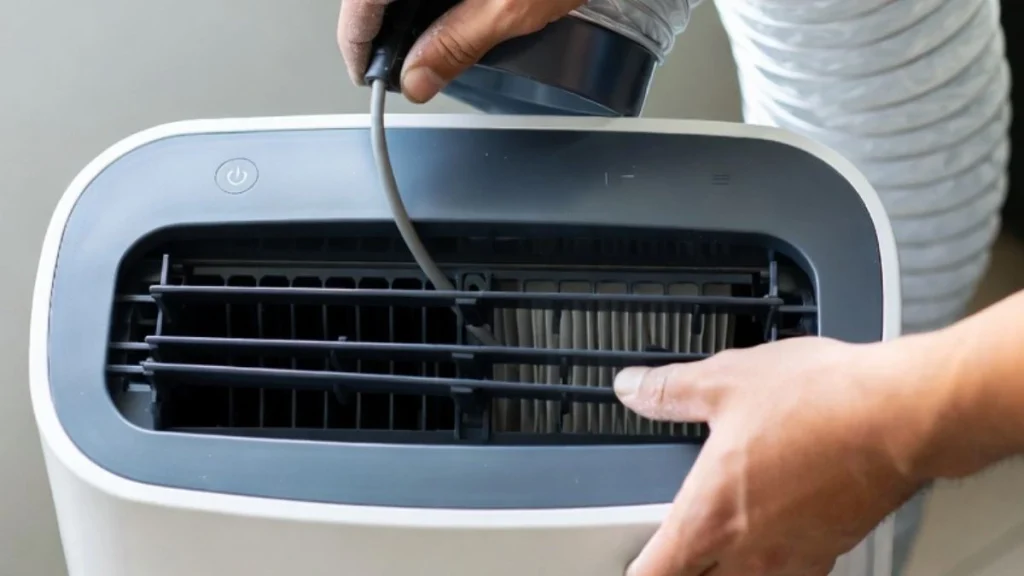
Dirty or clogged filters reduce airflow and can cause the exhaust fan to struggle or stop. Regular cleaning keeps the unit working well. Follow these steps:
- Turn off and unplug the unit: Safety first before removing filters.
- Remove the air filter: Usually behind a panel or grille on the unit.
- Clean the filter: Use warm water and mild soap. Rinse well and air dry completely before reinstalling.
- Replace the filter: If it is torn or very dirty, use a new filter designed for your model.
- Check filter schedule: Clean filters every 2 weeks during heavy use and replace every 3-6 months.
Below is a quick maintenance table for filters:
| Task | Frequency | Tools Needed |
| Cleaning filters | Every 2 weeks | Warm water, mild soap, soft brush |
| Replacing filters | Every 3-6 months | New filter (compatible model) |
Warning: Do not operate the air conditioner without a filter. It can damage the fan and other parts.
Testing The Fan Motor
The fan motor powers the exhaust fan. If the motor fails, the fan stops working. Testing the motor requires basic tools and safety care.
- Unplug the unit: Prevent electric shock before testing.
- Access the fan motor: Remove the outer cover or panel of the air conditioner.
- Inspect motor for visible damage: Look for burnt smell, broken wires, or loose parts.
- Use a multimeter: Set it to measure resistance (ohms). Check motor winding continuity.
- Check motor capacitor: Test the capacitor with a multimeter for proper microfarad rating.
- Manually spin the fan blade: It should turn smoothly without noise or resistance.
Note: Motor repairs may require professional help. Do not attempt if unsure about electrical work.
Repair Options
When a portable air conditioner’s exhaust fan stops working, it affects cooling performance and comfort. Repairing the exhaust fan can restore proper airflow and efficiency. Several repair options exist depending on the problem’s cause. Simple fixes often save time and money compared to full replacement.
Replacing The Fan Motor
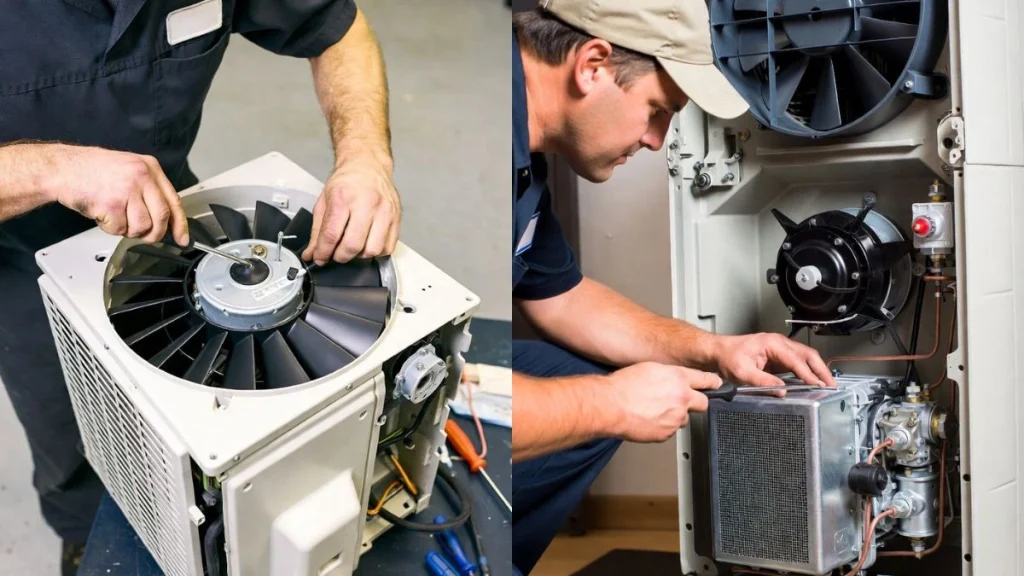
The fan motor drives the exhaust fan blades. Over time, the motor can wear out or burn out. Replacing the fan motor can bring the exhaust fan back to life. This option works well if the motor shows signs of damage or does not run at all.
- Identify the motor model: Check the motor label for voltage, amperage, and model number.
- Disconnect power: Always unplug the unit before starting any repair.
- Remove the old motor: Detach fan blades and screws holding the motor in place.
- Install the new motor: Secure it with screws and reattach fan blades.
- Test the unit: Plug in and turn on to check if the fan runs smoothly.
Replacing the fan motor requires basic tools and some technical skills. If unsure, professional help is advisable.
Fixing Electrical Connections
Loose or damaged electrical connections often cause the exhaust fan to stop working. Fixing these connections can restore power to the fan motor. This repair is usually quick and inexpensive.
- Unplug the air conditioner: Safety first.
- Open the unit’s panel: Locate wiring connected to the exhaust fan motor.
- Inspect wires and terminals: Look for loose, frayed, or burnt wires.
- Tighten connections: Use a screwdriver to secure loose screws or terminals.
- Replace damaged wires: Cut out damaged sections and splice in new wire with connectors.
- Test the fan: Power on the unit and observe fan operation.
Use electrical tape and wire nuts to secure repairs. Avoid water contact with electrical parts. If unsure about working with electricity, hire a technician.
Unclogging Or Replacing Exhaust Hose
The exhaust hose removes hot air from the portable AC. Blockages or damage reduce airflow and can cause the fan to strain or stop. Unclogging or replacing the hose improves exhaust flow and fan function.
- Inspect the hose: Look for kinks, tears, or debris inside the hose.
- Clean blockages: Use a long brush or vacuum to clear dirt or dust buildup.
- Check hose connection: Ensure tight seals at both ends to prevent leaks.
- Replace damaged hose: Purchase a compatible hose if tears or holes exist.
- Secure new hose: Use clamps or brackets to keep the hose straight and connected.
Regular hose maintenance prevents fan issues and extends the AC’s life. Proper airflow keeps the unit efficient and quiet.
Read Also: How to Vent Multiple Bathroom Exhaust Fans
Conclusion
A portable air conditioner exhaust fan not working can cause many problems. Check the fan, vents, and power source carefully. Cleaning the filter and vent helps the fan run smoothly. Fixing small issues early saves time and money. Regular maintenance keeps your air conditioner cool and efficient.
Stay calm and follow simple steps to solve the problem. Your room will feel comfortable again soon. Don’t ignore signs of trouble with your exhaust fan. Taking action now avoids bigger repairs later.