

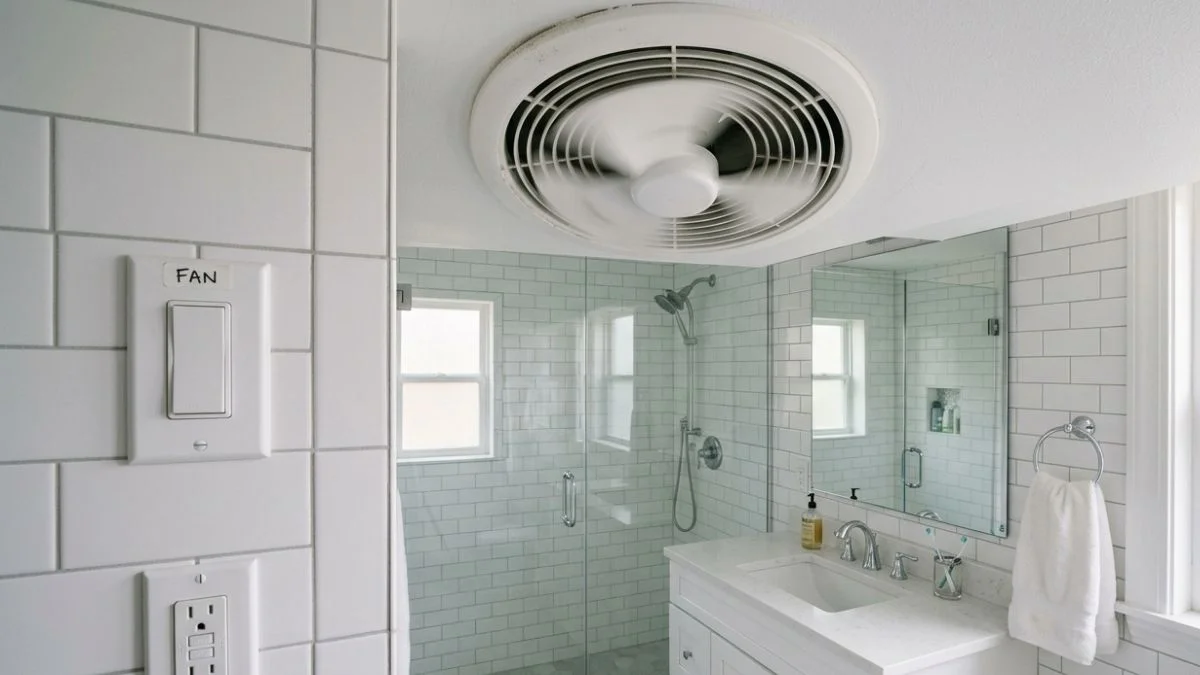
A bathroom fan that switches on without anyone touching it is almost always an electrical or sensor fault — not a ghost, and not something to ignore.
The frustrating part is not knowing whether to grab a screwdriver or call an electrician, especially when the fan keeps running or cycling on and off at random hours.
This guide walks through the 5 most common causes of phantom fan activation and gives you a clear, actionable fix for each one.
How Humidity Sensors and Timers Control Bathroom Fans
Before diagnosing why your bathroom fan turns on by itself, you need to understand what controls it. Most modern bathroom exhaust fans use one or both of two systems: a humidity sensor or a timer switch.

How the Humidity Sensor Works
A humidity sensor — also called a moisture sensor or hygroscopic detection circuit — measures the relative humidity inside the bathroom. When humidity rises above a set threshold (typically 50–80% RH, depending on the model), the sensor triggers the fan automatically. Panasonic’s WhisperSense series and Broan’s QTXE series both use this approach.
The problem is calibration drift. Over time, dust, soap residue, and mineral deposits from steam coat the sensor element, causing it to misread ambient humidity. A sensor reading 60% when actual humidity is 45% will activate the fan in an empty bathroom — which is exactly the phantom activation most homeowners report.
How the Timer Switch Works
A timer switch replaces the standard wall toggle and keeps the fan running for a set period after the light turns off — usually 5 to 60 minutes. Leviton and Lutron both manufacture widely installed timer switch models.
Timer switch electronics fail in a predictable way: the internal relay or capacitor degrades, causing the switch to trigger randomly or cycle the fan on and off without input. This is one of the most common causes of an automatic bathroom fan that keeps turning on at odd hours.
Both components sit inside a live electrical circuit, so any hands-on inspection requires turning off the breaker first.
Common Causes and Diagnosis
Faulty or Miscalibrated Humidity Sensor
A humidity sensor set too low — say, 45% RH in a bathroom that naturally sits at 40–43% RH — will trigger the fan from normal ambient moisture, not just shower steam. Panasonic recommends checking your fan’s sensitivity dial (present on most WhisperSense models) and comparing it against a $10–15 digital hygrometer reading taken in the bathroom before anyone showers. If the sensor threshold is within 5% of your baseline humidity, recalibrate it upward by one increment and monitor for 48 hours.
Defective Timer Switch or Timer Electronics
A bathroom exhaust fan timer malfunction usually sounds like the fan turning on for 10–15 minutes, shutting off, then restarting an hour later with no one home. This cycling pattern points directly to a failing capacitor or degraded solder joint inside the timer switch electronics. Leviton’s IPS06 and similar models are repairable, but replacing the entire switch (typically $15–30) is faster and more reliable than attempting component-level repair.
Moisture Damage to Fan Electronics
Condensation pooling inside the fan housing corrodes sensor leads and circuit board contacts, generating false signals that activate the fan. Remove the fan cover and inspect for rust-colored staining, white mineral deposits, or visible corrosion on any metal contacts. Water pooling inside the unit is an immediate replacement indicator — no cleaning fix is reliable once the circuit board is compromised.
Wiring Issues and Electrical Faults
A loose neutral wire is the most underdiagnosed cause of phantom fan activation. It creates an intermittent ground path that mimics a trigger signal. Crossed wiring between a timer circuit and sensor circuit — common after DIY installations — produces the same result. Turn off the breaker, then use a non-contact voltage tester to confirm the circuit is dead before inspecting wire connections for burn marks, fraying, or improperly seated wire nuts.
Fixes for Each Problem

Recalibrating or Replacing the Humidity Sensor
Start by turning off the breaker to the bathroom ventilation system. Remove the fan cover, locate the sensitivity adjustment dial on the humidity detection circuit, and turn it one increment toward the “less sensitive” setting. Restore power and wait 48 hours. If phantom activation continues, use a digital hygrometer to log your bathroom’s baseline humidity over 24 hours and compare it to the sensor’s trigger threshold. If the sensor cannot be calibrated above your baseline, replace the sensor module — Panasonic sells replacement sensor assemblies for most WhisperSense models for $20–40.
Replacing a Defective Timer Switch
Timer switch replacement is a straightforward DIY job rated at beginner difficulty. Turn off the breaker, remove the wall plate, and photograph the existing wiring before disconnecting anything. Leviton, Lutron, and GE all make direct replacement timer switches for $15–35 at Home Depot or Lowe’s. Match the amperage rating on the old switch — most bathroom fans draw 0.5–1.5 amps — and connect wires to the identical terminals on the new unit.
Addressing Moisture Damage
If components show light surface corrosion only, dry the housing thoroughly with a fan for 24–48 hours and apply contact cleaner spray to sensor leads. Full circuit board corrosion means replacement is the only reliable fix. A new mid-range exhaust fan — Broan’s NuTone series runs $40–120 — costs less than repeated service calls.
Correcting Wiring Faults
Tighten loose wire nuts and reseat any improperly connected neutral wires yourself if the wiring is straightforward and you are comfortable working in a dead circuit confirmed by a voltage tester. Crossed timer-to-sensor wiring, aluminum wiring, or any burn marks on insulation require a licensed electrician — the risk of fire or shock is not worth a DIY attempt.
You May Read Also: How to Vent Multiple Bathroom Exhaust Fans Efficiently
FAQ
Why does my bathroom fan turn on at night without touching the switch?
Nighttime activation almost always points to a failing timer switch with a degraded capacitor or relay that triggers randomly, or a humidity sensor reading elevated moisture from overnight condensation. Turn off the breaker, inspect the timer switch for visible damage, and replace it — a new unit costs $15–35 and installs in under 30 minutes.
Can a faulty humidity sensor alone cause phantom activation?
Yes. A miscalibrated or dust-coated humidity sensor will read false-high moisture levels and trigger the fan in a completely dry bathroom. Recalibrate the sensitivity dial first — if the fan still activates without cause, replace the sensor module, which costs $20–40 for most Panasonic and Broan models.
What is the fastest way to stop my fan from turning on automatically?
Turn off the bathroom circuit breaker to confirm the fan stops, then work through each cause in order: check the humidity sensor calibration, test the timer switch, inspect the fan housing for moisture damage, and verify all wire connections are secure. Most causes are diagnosable in under 30 minutes with a screwdriver, a non-contact voltage tester, and a digital hygrometer — no electrician needed unless wiring shows burn marks or crossed circuits.